Full Library in the Browser
All 11,000+ games, 470+ live dealer tables, the NHL and CFL sportsbook, and every payment method, including Interac e-Transfer, work without installing anything.
App at Glorion in Canada: System Requirements
No download required. Glorion runs in any modern mobile browser on iOS and Android, with the full casino, sportsbook, and Interac payments in one place. Add a home-screen shortcut for one-tap access.
The Full Glorion Experience on Mobile
No download required. Glorion runs in any modern mobile browser on iOS and Android, with the full casino, sportsbook, and Interac payments in one place. Add a home-screen shortcut for one-tap access.
Open on Mobile Play responsibly: gambling can become addictive. Ages 19+ only (18+ in Alberta, Manitoba and Quebec). Bonus terms apply.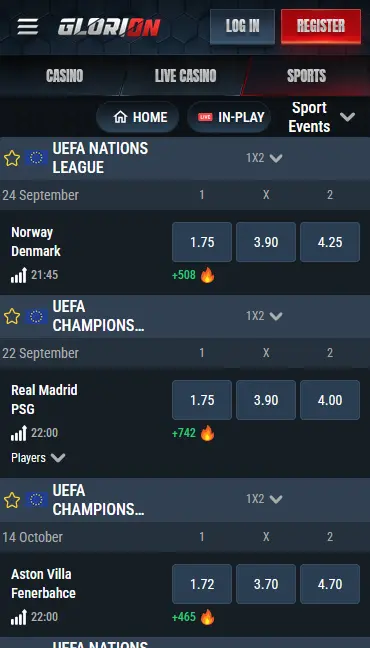
Glorion Mobile: What to Expect
Pros
Cons
What Makes the Glorion Mobile Platform Work
Full Library in the Browser
All 11,000+ games, 470+ live dealer tables, the NHL and CFL sportsbook, and every payment method, including Interac e-Transfer, work without installing anything.
Instant Load on HTML5
Every game in the Glorion catalogue uses HTML5 technology. Titles from Pragmatic Play, Evolution Gaming, and Hacksaw Gaming load directly in Safari or Chrome with no plugins needed.
256-Bit SSL and 2FA on Mobile
All mobile sessions are protected by 256-bit SSL encryption. Two-factor authentication can be enabled for mobile logins to prevent unauthorized account access.
Staying Secure on Mobile
What You Should Do
What You Should Avoid
Mobile Compatibility at Glorion
Android
iOS
How to Get Started on Mobile
Glorion does not offer a downloadable native application through the Apple App Store or the Google Play Store. Instead, the platform is built on HTML5 and optimized for direct access through any current mobile browser, with the additional option of installing a Progressive Web App (PWA) shortcut that functions like an app icon on your home screen. This approach means there is nothing to install, no storage space consumed, and no waiting for app updates; every session runs on the latest version of glorioncasino24.com automatically.
Open Chrome on your Android phone and navigate to glorioncasino24.com. The site loads immediately in a touch-optimized layout. To add a home-screen shortcut, tap the three-dot menu in the top-right corner of Chrome and select Add to Home Screen from the dropdown. Give the shortcut a name if prompted and confirm. The Glorion icon appears on your home screen and opens the casino directly in Chrome, bypassing the need to type the URL on each visit.
Open Safari on your iPhone or iPad and go to glorioncasino24.com. Tap the Share button (the box with an upward arrow) at the bottom centre of the browser, scroll through the share sheet options, and tap Add to Home Screen. Confirm the name and tap Add. The Glorion shortcut appears on your home screen and opens the site directly in Safari. Note that the PWA installation only works through Safari on iOS; Chrome on iPhone does not support the Add to Home Screen function in the same way.
After adding the shortcut, tapping it launches glorioncasino24.com in a browser window that removes most of the standard browser chrome, giving the experience a closer feel to a native app. All casino features, the sportsbook, and the cashier are available immediately without further navigation. Because the shortcut links to the live site, any new games from providers like Hacksaw Gaming or Play’n GO that are added to the lobby are accessible the next time you open the shortcut.
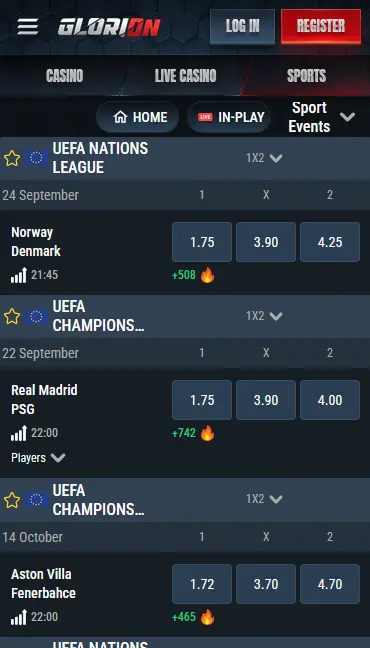
Glorion’s mobile platform is compatible with all modern smartphones and tablets running current operating systems. The HTML5 game engine used by providers such as Evolution Gaming, Pragmatic Play, and BGaming runs natively in mobile browsers without plugins or third-party software.
Android 8.0 or later is the recommended minimum, with Chrome or Samsung Internet at their current released versions. Games and live dealer tables, including Super Stake Roulette 5000x from Stakelogic and Adventures Beyond Wonderland Live from Playtech, render at full quality on mid-range and flagship Android handsets.
iOS 14 or later is recommended, with access through Safari. iPhone 8 and newer models running a supported iOS version deliver a stable experience across the full game catalogue. iPad users can access the site through Safari with the same layout and functionality as an iPhone, with the wider screen giving more space for live dealer table layouts.
| Platform | OS Version | Browser | Notes |
|---|---|---|---|
| Android | 8.0 or later | Chrome (current) / Samsung Internet | PWA shortcut via Chrome menu |
| iOS | 14 or later | Safari (current) | PWA shortcut via Share button |
The full 11,000+ title catalogue available on desktop is accessible without reduction through the mobile browser. Pragmatic Play slots including Sweet Bonanza, Hacksaw Gaming’s Le Bandit, and BGaming’s Blazing Fire Pots: Hold & Spin all load in under a few seconds on a 4G or 5G connection.
All slot formats, from classic three-reel games to Megaways, Hold and Win, bonus-buy, and progressive jackpots, play identically on mobile and desktop. The 1,330+ jackpot titles include Greentube’s Supra Hot (25,000x maximum win) and Lucky Lady’s Charm Deluxe 6 (12,804x maximum win). Demo mode is available for the majority of slots on mobile, allowing free play without a deposit.
The live casino section from Evolution Gaming, Pragmatic Play Live, Playtech, Stakelogic Live, and OnAir Entertainment streams in HD on mobile connections. Gold Saloon Blackjack from OnAir Entertainment (RTP 99.29%) and Money Time from Pragmatic Play Live (RTP 96.56%) are particularly well-suited to touch controls, with bet placement buttons scaled for smaller screens.
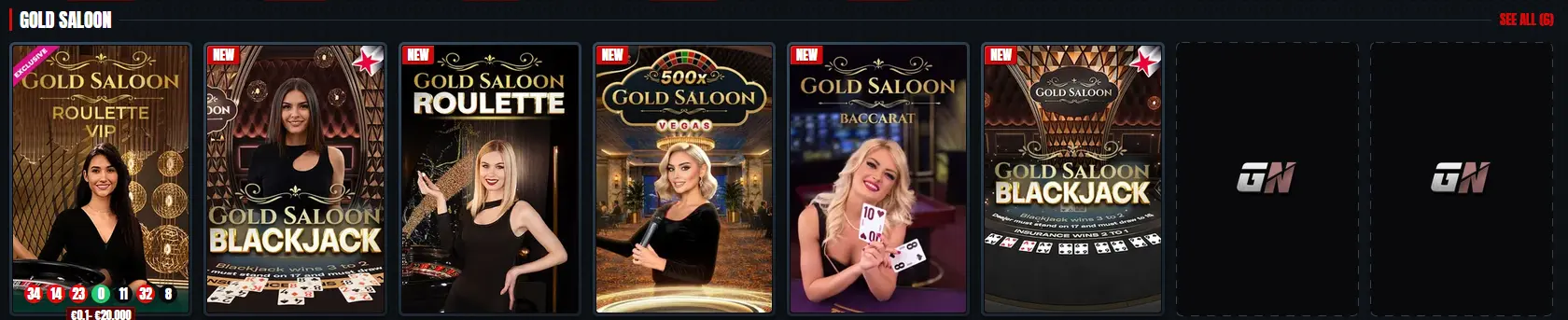
Over 160 RNG table games, including 50+ roulette variants and 46 blackjack options, are playable on mobile without any reduction in game quality. American Blackjack from Betsoft and Golden Chip Roulette from Yggdrasil both run smoothly in mobile browsers.

Progressive jackpot slots from Greentube, Playson, BGaming, and Penguin King Games are fully accessible on mobile, with jackpot meters updating in real time regardless of the device used.
The mobile browser experience at Glorion is designed to match the desktop version in functionality without requiring a dedicated application.
Every account function available on desktop works in the mobile browser: depositing via Interac e-Transfer, withdrawing to the same method, activating bonuses from the My Bonus section, tracking VIP tier progress, participating in Spin Rally tournaments, redeeming Glorion Coins in the onsite shop, and accessing the NHL, CFL, NBA, and NFL sportsbook through the same account. Live chat support from the 24/7 team is also accessible directly in the mobile browser.
The mobile layout collapses menus into a compact navigation bar, giving games and live dealer feeds more screen space. Tap controls replace mouse clicks for all interactions. The PWA shortcut removes the browser address bar when in use, but the underlying platform and all game content are identical to the desktop version.
Registration on mobile follows the same steps as on desktop. Open glorioncasino24.com in your mobile browser, tap the registration button, enter your email address and a password, provide your name, date of birth, and Canadian residential address, select CAD as your account currency, and submit. The entire process takes approximately two minutes. Once registered, KYC verification documents (a driver’s licence, passport, or provincial photo ID card, plus a utility bill or bank statement as proof of address) can be uploaded directly through the mobile browser before requesting a withdrawal.
After registration, tap the sign-in button on the Glorion mobile homepage and enter your email and password. If 2FA is enabled, enter the code from your authenticator app. Your session is active immediately across both the casino and sportsbook sections. For a full walkthrough of login options and troubleshooting steps, visit the login page.
All payment methods available on the desktop version are accessible through the mobile browser. Interac e-Transfer is the primary option for Canadian players, linking directly to a bank account and settling deposits instantly with no fees on Glorion’s side.
| Method | Mobile Deposit | Mobile Withdrawal | Processing |
|---|---|---|---|
| Interac e-Transfer | Yes | Yes | Instant / 1-3 days |
| Visa | Yes | Yes | Instant / 1-3 days |
| Mastercard | Yes | Yes | Instant / 1-3 days |
| MiFinity | Yes | Yes | Instant / 24 hours |
| Bitcoin | Yes | Yes | Instant / 24 hours |
| Tether (USDT) | Yes | Yes | Instant / 24 hours |
Crypto withdrawals from mobile accounts typically complete within 24 hours after verification. Interac, Visa, and Mastercard withdrawals process within one to three business days. All withdrawal requests require completed KYC verification before funds are released.
Every mobile transaction is protected by 256-bit SSL encryption. Interac e-Transfer payments are authenticated through the player’s own banking app, adding a second layer of verification outside of the Glorion platform itself. Cryptocurrency withdrawals are confirmed on-chain before release, providing an additional transparent audit trail.
The security model for Glorion’s mobile platform is identical to the desktop version, with no reduction in protection because a native app is not involved.
All data passing between your phone and glorioncasino24.com is encrypted using 256-bit SSL issued by Google Trust Services. This applies to login credentials, payment details, account data, and game session information. The connection is active on every page of the mobile site, not only during sign-in or checkout.
Two-factor authentication can be enabled from the security section of your account settings. Once active, every login from any device, including mobile, requires both your password and a time-limited code from an authenticator app. This prevents unauthorized access even if your password is compromised.
If your mobile browser and device support biometric authentication (such as Face ID on iPhone or fingerprint unlock on Android), you can use your device’s built-in biometric unlock in conjunction with saved browser credentials to speed up the login process while maintaining strong security.
All bonuses available on desktop are claimable and playable through the mobile browser. No separate mobile-specific registration is needed.
The 100% deposit match up to $1,125 CAD plus 200 free spins is available to new players who complete registration and their first qualifying deposit of $30 or more through the mobile browser. The bonus is activated from the My Bonus section in the mobile cashier, and free spins are released in daily batches of 20 for 10 days. The promo code UPTO5KCA for the 450% up to $5,000 package can also be entered in the mobile cashier at the deposit step. Full details of all wagering terms and conditions are on the bonus page at Glorion. Must be 19+ to claim (18+ in Alberta, Manitoba and Quebec).
Live chat and email support are both accessible from the mobile browser. The live chat widget is available in the bottom corner of every page on glorioncasino24.com, including on mobile. For document submissions or detailed withdrawal queries, email [email protected], which handles all account-related communications around the clock.
Deposit limits, session time reminders, and self-exclusion tools are accessible from the account settings section of the mobile site. These tools function identically on mobile and desktop. If you have concerns about your gambling behaviour, our support team is available 24/7 via live chat or at [email protected], and responsible gaming resources are listed in the Help Centre.
Mobile and App Questions for Glorion Canada
No. Glorion does not offer a native iOS or Android app. Instead, the platform runs as a Progressive Web App (PWA) through any modern mobile browser, with the option to install a home-screen shortcut for quick access.
Android 8.0 or later is recommended, used with a current version of Chrome or Samsung Internet. All HTML5 games from providers such as Pragmatic Play and BGaming load natively without plugins.
Yes. Interac e-Transfer is fully functional through the Glorion mobile browser on both iOS and Android. Select Interac in the cashier, enter the deposit amount, and authenticate through your banking app as usual.
Yes. Because the PWA shortcut is a link to the live glorioncasino24.com site rather than a stored local app, you always access the latest version of the platform when you open the shortcut. No manual updates are required.
Open Glorion in Your Browser and Play Now
Grab 100% up to $1,125 and 200 free spins.
Enter Casino Play responsibly: gambling can become addictive. Ages 19+ only (18+ in Alberta, Manitoba and Quebec). Bonus terms apply.